
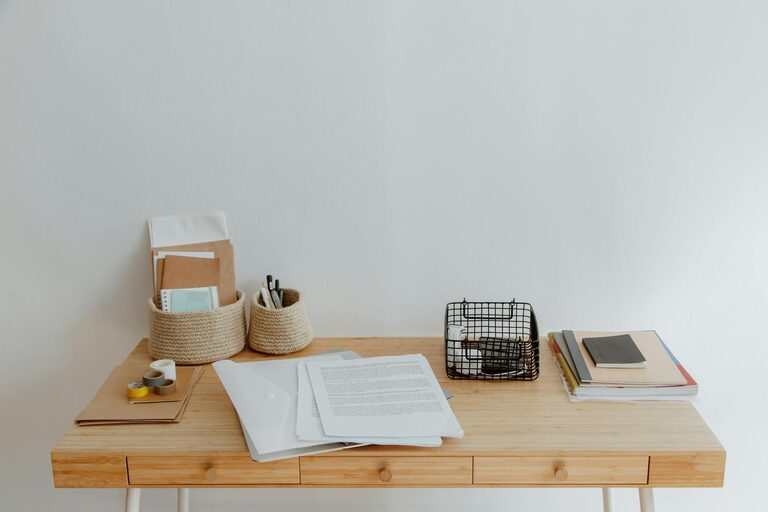
Working from home has become a common part of many people’s lives, and having a well-organized, productive workspace can make all the difference. Creating a home workspace that inspires focus and efficiency is easier than you might think. Whether you have a dedicated room or a small corner of your living space, these tips will help you design an environment that supports your work habits and minimizes distractions.
Why an Organized Workspace Matters
An organized workspace helps reduce stress and saves time searching for items. When everything has its place, your mind can focus on the task at hand rather than clutter and chaos. A neat space promotes better concentration, boosts creativity, and can increase work satisfaction.
Choosing the Right Location
Consider Natural Light
Place your workspace near a window if possible. Natural light improves mood and energy levels and reduces eye strain. If you can’t access natural light, invest in good quality lighting that mimics daylight to keep your space bright and inviting.
Find a Quiet Spot
Select a location with minimal foot traffic and noise. If this isn’t possible, think about using noise-canceling headphones or playing soft background music to minimize distractions.
Furniture Essentials
Desk and Chair
Choose a desk that fits your work essentials without crowding the space. Prioritize an ergonomic chair to support your posture and comfort during long work hours.
Storage Solutions
Incorporate shelves, drawers, or filing cabinets to keep documents and supplies organized. Vertical storage saves space and keeps your desk clear.
Decluttering Tips
Keep Only What You Need
Regularly assess your workspace to remove items you no longer use. This prevents clutter buildup and keeps your area tidy.
Use Organizers
Desk organizers, trays, and drawer dividers help separate items like pens, paper clips, and sticky notes. Designate a specific spot for each item.
Manage Digital Clutter
Organize your computer desktop and files. Use folders and naming conventions to locate documents quickly. Regularly back up and delete unnecessary files.
Personalizing Your Space
Adding a few personal touches can make your workspace more enjoyable. Consider plants, artwork, or photos that inspire you but avoid overcrowding the area. Keep decorations minimal to maintain focus.
Time Management and Routine
Set Clear Boundaries
Define your work hours and stick to them. This distinction helps maintain a healthy work-life balance, especially when working from home.
Use Time-Blocking
Schedule specific blocks of time for different tasks. This structured approach keeps you on track and prevents procrastination.
Take Regular Breaks
Incorporate short breaks to stretch and rest your eyes. A refreshed mind is more productive.
Technology and Connectivity
Optimize Your Setup
Ensure your computer, printer, and other devices are set up efficiently. Use wireless peripherals to reduce cable clutter.
Reliable Internet
A strong internet connection is vital to avoid interruptions. Consider upgrading your plan or using a wired connection if possible.
Maintain Your Workspace
Regular cleaning and organizing keep your workspace functional and pleasant. Set a weekly routine to tidy up and restock supplies.
Final Thoughts
An organized and productive home workspace is within reach if you combine practical furniture choices, good lighting, decluttering habits, personalized touches, and effective routines. Small changes can lead to big improvements in focus and work satisfaction. Start today and enjoy the benefits of a well-designed home office space.